Physical Address
304 North Cardinal St.
Dorchester Center, MA 02124
Physical Address
304 North Cardinal St.
Dorchester Center, MA 02124

By a veteran digital publisher who got rejected twice before cracking the code.
Let me paint you a picture. It’s a Tuesday evening, and you’ve just hit publish on your 25th blog post. Your site looks clean. You’ve got a logo, a navigation menu, and articles you’re genuinely proud of. So you do what every excited new blogger does: you open the Google AdSense application page, fill in your URL, submit your site—and you wait.
Three days later, the email arrives. Your heart jumps. You click it open.
‘We did not approve your AdSense application.’
That’s it. That’s the whole explanation. Maybe there’s a vague mention of ‘insufficient content’ or ‘site quality issues,’ but no specifics. No roadmap. Just a cold, digital door slammed in your face.
I know that feeling because it happened to me. Twice. The first time I had 22 posts and thought I’d done everything right. The second time, I had fixed the content issue but completely overlooked a policy violation hiding in my sidebar. Google doesn’t grade on a curve, and it doesn’t give partial credit.
Here’s what nobody tells you upfront: the AdSense approval process is not a lottery. It’s a checklist. Google’s reviewers—both human and algorithmic—are running through a specific set of criteria every single time they look at your site. The bloggers who get approved aren’t luckier than you. They just happened to tick every box on that list, whether they knew it or not.
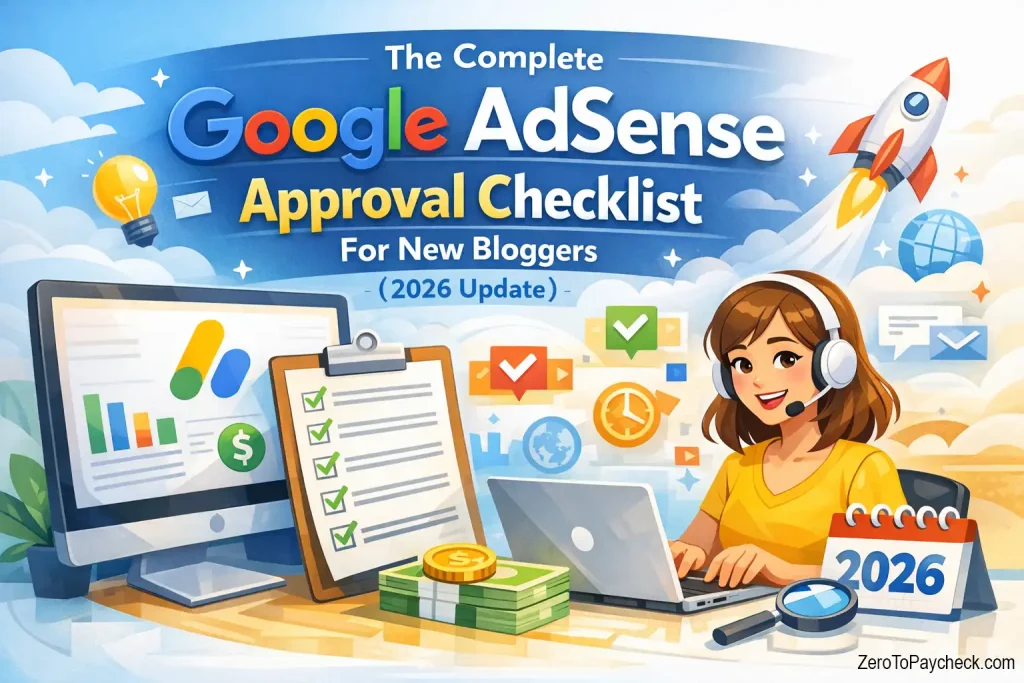
This guide is that list. All of it. Organized into four phases that mirror exactly how Google evaluates your application: Foundation, Content, Policy, and Application. By the time you finish reading, you’ll know precisely what needs to be fixed, what needs to be added, and what order to do it in.
No fluff. No vague advice like ‘create high-quality content.’ Real, specific, actionable steps.
Let’s get into it.
Before we jump into the checklist, it’s worth understanding why this process exists at all—because a lot of new bloggers (myself included, initially) see it as an arbitrary gatekeeping exercise. It’s not.
Google AdSense connects your blog with advertisers who are paying real money to display their ads. Those advertisers trust Google to place their brand in front of appropriate audiences, on appropriate websites. If Google approved every site that applied, advertisers would find their ads running next to low-quality, spammy, or policy-violating content. That destroys trust. And without advertiser trust, there’s no ad revenue for anyone.
So approval is essentially Google saying: ‘Yes, this site meets our baseline standard. Advertisers, you can trust this one.’
| Quick Clarity: AdSense approval does NOT guarantee income. Your earnings depend on your traffic volume, your niche’s CPC (Cost Per Click—the amount advertisers pay each time someone clicks their ad), and your site’s RPM (Revenue Per Mille—the revenue you earn per 1,000 pageviews). Approval just opens the door. Building income takes additional work. |
One more thing to get straight before we move on: approval is not a one-time event. Once you’re in, you’re continuously subject to Google’s policies. Violate them later—even accidentally—and your account can be suspended. We’ll talk about what those violations look like and how to avoid them.
Think of your AdSense application like a job interview. Your website is the resume, the About page is the cover letter, and your content is the work portfolio. Before you even think about walking into that interview room, you need to make sure the basics are in order.
Here’s something that surprises a lot of new bloggers: you can technically apply for AdSense with a free Blogger or Blogspot subdomain (like yourblog.blogspot.com). But—and this is a big but—getting approved on a free subdomain is significantly harder, and the process is more restrictive. In most markets outside the US and a few other countries, Google requires a custom domain (like yourblog.com) to apply at all.
My honest recommendation? Buy a custom domain. It costs roughly $10-15 a year, and it signals professionalism to both Google and your readers. A custom domain also makes you look credible, which matters when reviewers are deciding whether your site is a legitimate publisher or a spam operation.
As for platforms, WordPress.org (self-hosted) and Blogger both work fine. Wix and Squarespace can work too, though adding the AdSense code is a bit more convoluted. If you’re on WordPress, make sure your site is publicly accessible—not password-protected or in ‘coming soon’ mode. Sounds obvious, but I’ve seen it happen.
Why does Google care so much about your Contact page? It’s simple: trust. If a stranger handed you a business card with no address, no phone number, and no email, you’d be suspicious. Google thinks the same way about websites.
You need three pages before you apply. Non-negotiable.
First: your About page. This is your cover letter. It should tell the reader who you are, why you started this blog, and what they’ll get from reading it. It doesn’t need to be 2,000 words—a genuine, clear 300-400 word explanation goes a long way. Include a real author bio, even a headshot if you’re comfortable. Google values author credibility, especially on topics that could affect someone’s health or finances. This is what SEOs call E-E-A-T (Experience, Expertise, Authoritativeness, Trustworthiness), and your About page is where it starts.
Second: your Contact page. A simple contact form (or even just an email address) is sufficient. The point is that advertisers and readers can reach you. Some bloggers skip this because they’re worried about spam—fair concern. Use a free tool like Google Forms or WPForms to create a contact form that shields your direct email address.
Third: your Privacy Policy. This one is legally required in most jurisdictions, not just by Google. Your Privacy Policy needs to disclose what data your site collects and how it’s used. Since AdSense itself uses cookies to serve personalized ads, Google explicitly requires that your Privacy Policy mention this. There are free Privacy Policy generators online (Privacy Policy Generator, Termly, and others) that create compliant language in minutes. Do not skip this. It’s the single most common oversight I see in blogger mastermind groups I’m part of, where members share their rejection stories.
A Terms and Conditions page is optional for AdSense approval but is generally good practice, especially if you’re selling anything or accepting user-generated content.
Your site’s layout shouldn’t look like a digital garage sale. Seriously.
Google evaluates whether users can navigate your site easily, find content without confusion, and have a generally positive experience. That means a clear menu (header navigation), easy-to-read fonts, a design that doesn’t assault the eyes, and—critically—no intrusive pop-ups.
I talked with a blogger in my group who had genuinely great content. Niche site about personal finance for freelancers. Solid stuff. But she had a cluttered sidebar stuffed with badge widgets, ‘best of’ lists from 2019, multiple email opt-in boxes, and a scrolling ticker of recent comments. Her AdSense application was rejected for ‘user experience.’ She cleaned up the sidebar, removed four of the six widgets, and got approved on the next application.
Lesson: less is more. Clean navigation. Minimal distractions. Make it easy for a first-time visitor to understand what your site is about and find the content they’re looking for.
| Before You Move On — Foundation Checklist: ☐ Custom domain purchased and active ☐ Blog is publicly accessible (no ‘coming soon’ mode) ☐ About page published with genuine author info ☐ Contact page or form is live ☐ Privacy Policy mentions AdSense/cookie usage ☐ Clean, navigable site design ☐ No broken links on main pages |
Okay. This is the phase where most people get tripped up, and frankly, where most of the bad advice on the internet lives.
You’ve probably seen some YouTube video or blog post claiming you need 50 articles, or 100 posts, or 6 months of publishing before applying. I get it. Those numbers sound authoritative. But they’re not backed by any official AdSense policy—they’re just generalizations that get repeated until they sound true.
The truth is more nuanced. And better.
Google doesn’t count your posts. It evaluates them. There’s a world of difference between 100 thin, 400-word articles stuffed with keywords and 20 genuinely useful, well-researched posts that actually help a reader solve a problem.
In my experience? 15 to 25 high-quality posts is a solid target before applying. ‘High quality’ in this context means each post is at least 800-1200 words, covers its topic thoroughly, is well-formatted with subheadings, addresses what a reader actually wants to know, and is written (or edited) to sound like a real person wrote it.
Niche matters here too. A focused, niche blog—say, a blog exclusively about urban container gardening—is far easier to get approved than a general lifestyle blog that covers cooking, travel, fitness, parenting, and DIY projects all at once. Niche signals expertise. Breadth can signal unfocused content farming. Pick a lane and go deep in it.
Here’s what surprised me when I first tried a niche-focused approach: after rebuilding my rejected blog around a single topic (home brewing for beginners), my organic traffic from Google Search Console nearly doubled within six weeks. The niche content was ranking for long-tail keywords I’d never have touched with a general blog. That compound effect made the eventual AdSense approval feel almost anticlimactic—by then, the site had real momentum.
One of the fastest ways to get rejected—and stay rejected—is publishing content that isn’t truly original. This means a few things. First, don’t copy content from other sites. Even paraphrasing heavily without adding your own perspective can be flagged as duplicate content by Google’s algorithms. Second, be careful with images. Free stock photos are fine; screenshots from other people’s websites without permission are not. Copyright violations are a policy issue that can get your entire AdSense account banned permanently, not just rejected.
What about AI-generated content? Ah. The question everyone’s actually asking.
Google’s official stance is that they evaluate content quality, not how it was produced. Technically, AI-generated content isn’t automatically banned. But here’s the practical reality: most AI-generated content, when published without heavy editing, is thin, generic, and lacks the original perspective and experience signals that Google rewards. If you’re using AI tools to help draft or outline content, that’s fine—but edit it heavily, add your own examples, stories, and opinions, and make sure the final product sounds like a human with actual expertise wrote it. Generic AI slop will get you rejected for ‘insufficient content’ just as fast as a 300-word post will.
Here’s something the other articles on this topic consistently miss: Google AdSense reviewers look at your About page as an indicator of whether real, identifiable humans are behind this site. A faceless blog with no author information is a red flag.
Every post should have an author byline. Your About page should connect to that author. Ideally, your author bio mentions credentials, experience, or personal connection to the topic you’re writing about. You don’t need a journalism degree or a Ph.D.—if you’re writing about budget travel, mentioning that you’ve visited 40 countries on a shoestring is enough. Real experience. Real credibility.
| Content Checklist: ☐ 15-25 published posts, each 800+ words ☐ Content is focused on a specific niche ☐ Each post has original analysis, perspective, or experience ☐ No copied or scraped content ☐ All images are licensed, original, or royalty-free ☐ Author bylines on every post ☐ Author bio connects to About page ☐ No heavy reliance on unedited AI content |
This is the section most approval guides gloss over. And it’s the one that bites the most bloggers.
You can have a beautiful site, 30 excellent posts, all your essential pages, and a clean design—and still get rejected because of a single policy violation. I’ve seen it happen. It happened to me (an embedded YouTube video in my sidebar that had a copyright-disputed soundtrack, of all things).
Google’s AdSense Program Policies are detailed and occasionally intimidating, but the core prohibited content categories come down to a manageable list.
| Rejection Reason | What It Actually Means | The Fix |
| Insufficient content | Posts are too short, too thin, or lack original value | Expand posts to 800+ words; add original perspective and depth |
| Policy violation | Site contains prohibited content or copyright issues | Audit all content and images; remove anything flagged |
| Site down or not accessible | Reviewer couldn’t access your site | Check site uptime; remove password protection or ‘coming soon’ mode |
| Navigation issues | Site is hard to use or disorganized | Simplify menu; declutter sidebar; improve mobile experience |
| Adult content | Explicit or suggestive content anywhere on site | Remove all adult imagery and language; check comments section |
| Copyrighted content | Music, images, video, or text used without permission | Replace with licensed alternatives; use royalty-free sources |
| Deceptive content | Misleading headlines, fake download buttons, clickbait | Rewrite misleading titles; remove fake UI elements |
| No privacy policy | Missing or incomplete disclosure of data practices | Add a full privacy policy mentioning cookies and AdSense |
A few items on the prohibited content list that surprise new bloggers:
| A word on scams: If you see ads or services offering ‘instant AdSense approval’ or ‘buy a pre-approved AdSense account,’ run. Fast. These are scams. Buying or selling AdSense accounts violates Google’s terms of service and will result in a permanent ban—not just rejection. There are no shortcuts here. The system is designed so that legitimate sites get approved by doing the right things. |
Before you click that Apply button, run yourself through this audit. I mean it—actually open each page of your site and review it against this list. Don’t trust your memory.
This isn’t a hard rule—Google doesn’t officially require your site to be a certain age. But in practice, sites that are at least 4-6 weeks old with consistent publishing tend to have higher approval rates than brand-new sites. There are two reasons for this. One: it gives Google time to crawl and index your content properly. Two: it gives the appearance of an active, ongoing publication rather than a site that was rushed into existence specifically to apply for AdSense.
If you’re confident your site checks every box but it’s only 2-3 weeks old, go ahead and apply. But if you’ve just published your 15th post yesterday, maybe give it another week or two.
Alright. You’ve done the work. Let’s talk about the actual application.
Go to adsense.google.com and sign in with a Google account. If you don’t have one, create one—use your real name and information. Click ‘Get started,’ enter your website URL, choose your language, and select your country. Then you’ll be asked to set up payment information. Don’t skip this—you’ll eventually need to enter your address for the PIN verification process (Google mails a physical PIN to your address to verify your identity before releasing payments).
Once you submit, you’ll be given AdSense code to add to your site. Add this to your site’s header (if you’re on WordPress, a plugin like ‘Insert Headers and Footers’ makes this easy). This allows Google’s reviewers to assess your site. After the code is active, your application enters review—this typically takes a few days to a few weeks. Don’t panic if it takes longer.
If you’re rejected, the email will specify a category. Here’s how to decode the most common ones.
‘Insufficient content’ is the most common. It doesn’t necessarily mean you don’t have enough posts. It can mean your posts are too short, too similar to each other, too reliant on lists without explanation, or lack original value. The fix: expand your weakest posts, add depth, and ensure each one comprehensively covers its topic.
‘Site down or unavailable’ means the reviewer couldn’t access your site. Check your hosting, disable any maintenance mode, and make sure there’s no login required to view content.
‘Policy violation’ is the scary one. This requires detective work. Look at every page, every image, every embedded video, every comment. Check your sidebar widgets. If you can’t find the violation yourself, consider consulting the Google AdSense Help Community, where experienced publishers often help diagnose issues.
After fixing the issues, wait at least two weeks before reapplying. This gives Google’s systems time to recrawl your updated site, and it shows you’re serious about compliance rather than just spamming applications.
| Quick Answer: Technically, no. Google’s official requirements don’t mention a traffic minimum. But sites with some organic traffic demonstrate to reviewers that real people are visiting and engaging with the content. Aim to have at least a trickle of traffic—even 50-100 daily visitors—before applying. It’s not required, but it helps. |
The honest answer: there’s no magic number. Quality beats quantity every time. In my experience, 15-25 well-written, in-depth posts in a focused niche is a solid foundation. I’ve seen sites with 12 exceptional posts get approved, and I’ve seen sites with 80 thin posts get rejected repeatedly. Stop counting posts and start evaluating depth.
You can apply with a Blogger/Blogspot blog in some regions without a custom domain. But in many markets (including most of Asia, Latin America, and Africa), Google now requires a custom domain for AdSense. Even where it’s technically allowed, a free subdomain signals a lower level of commitment. A custom domain is a $12/year investment that makes a real difference to how your site is perceived.
Wait at least two weeks after making your fixes. Use that time to genuinely address the rejection reason—not just to wait out a clock. Google doesn’t penalize you for reapplying, but submitting a barely-changed site will just result in another rejection for the same reason. Fix it thoroughly, then apply.
Not automatically. Google evaluates content quality, not production method. But most AI-generated content that hasn’t been substantially edited is generic, thin, and lacks the original experience and insight that Google rewards. If you use AI tools, treat the output as a first draft, not a final product. Heavy editing, personal anecdotes, real data, and your own voice make AI-assisted content publishable. Raw, unedited AI output is a fast track to an ‘insufficient content’ rejection.
Follow this checklist in order, don’t skip steps, and apply only when you’ve genuinely checked every box. The bloggers who get approved quickly aren’t rushing—they’re prepared. In terms of timeline: build your content for 4-6 weeks, set up all essential pages in week one, let Google index your site, and then apply. A well-prepared site can get approved in as little as 3-7 days after application. A rushed site can get rejected three times in three months.
Real talk: AdSense income is taxable income. In the US, Google will ask you to complete a W-9 or W-8BEN form depending on your country of residence. If you earn over $600 in a year in the US, Google will issue a 1099 form. In other countries, requirements vary—but in virtually every jurisdiction, ad revenue is considered business income and should be reported. Consult a local accountant when your earnings become meaningful. This isn’t something to figure out at tax time.
I’m going to end where we started.
That rejection email I got five years ago? I printed it out and taped it to my monitor. Not because I was bitter—though I was, a little—but because it reminded me that the process has rules, and that rules can be learned.
AdSense approval is not a mystery. It’s a checklist. Google is asking a simple question: ‘Is this a legitimate, trustworthy website that advertisers would be comfortable appearing on?’ Your job is to make the answer undeniably yes.
That means a custom domain, essential pages, clean navigation, original in-depth content, a focused niche, zero policy violations, and a site that has clearly been built for readers rather than for bots. None of those things are hard. They just take time and intentionality.
And here’s the thing about approval: it’s just the beginning. Once you’re in, the real work starts—building an audience, understanding which content drives traffic, learning which posts generate the most RPM, and eventually thinking about diversifying beyond AdSense to direct sponsorships, affiliate marketing, or your own digital products.
But first: the checklist.
Go audit your site against everything in this guide right now. Seriously—open a new tab, pull up your blog, and work through Phase 1 to Phase 4. If you can honestly check every box, you’re ready to apply.
And when that approval email lands in your inbox? It feels better than you think it will. That one small win is your signal that you’ve built something real—something Google trusts, and that readers can rely on. Everything else you want to build comes after that.
| Internal Resource Suggestions: Once you’re approved, explore how to Find Low-Competition Keywords to drive more organic traffic, how to Maximize Your AdSense Revenue with ad placement strategies, how to Write Blog Posts That Rank on Google, how to set up Google Search Console and what to do with your data, and how to diversify your blog income beyond AdSense. |
Disclaimer: Earnings from Google AdSense vary significantly based on niche, traffic volume, geographic audience location, and many other factors. This article is for informational purposes only and does not constitute financial or legal advice. Always consult a qualified professional regarding tax obligations in your jurisdiction.